Choose Your Study Material
Select the format that works best for your learning style
Save More with Bundles
Get multiple formats at a discounted price
PDF + Test Engine
Best of both worlds - study offline with PDF and practice online
$70
PDF + AI Test Engine
Study materials plus intelligent AI-powered practice tests
$90
Best Value - Get Everything!
All-in-One Package
Complete access to PDF, Test Engine, and AI Test Engine
$100
Exam Overview
What Is the ITS-101 Practice Test?
The ITS-101 practice test is an independent networking study resource designed to help students and entry-level IT professionals review foundational networking concepts.
The Information Technology Specialist: Networking certification, issued through Certiport, validates knowledge of networking fundamentals, infrastructure, hardware, protocols, and troubleshooting.
CertsLibrary provides a 140-question practice collection in multiple study formats.
You can use these questions to review networking terminology, recognize common configuration problems, and practice selecting appropriate technical solutions.
The practice material is not an official Certiport examination or a guarantee of certification success.
Exam-code note: CertsLibrary and some third-party providers use ITS-101 for Networking, while MeasureUp identifies its Networking practice product as INF-101. Confirm the exam identifier on your official registration or voucher before purchasing study materials.
Why Practice Networking Questions Before the Exam?
Knowing networking definitions is only part of the challenge. You also need to apply them to practical situations.
For example:
- Which device connects separate IP networks?
- Why does a computer receive an APIPA address?
- What happens when a DNS server cannot resolve a hostname?
- How many usable IPv4 host addresses are available in a /27 subnet?
- Which command helps identify the route packets take?
- Why can two devices on different VLANs fail to communicate?
An ITS-101 practice exam helps you identify which concepts you understand and which need further study.
Who Should Use These ITS-101 Exam Questions?
This resource is intended for:
- Students starting their IT education.
- First-time networking certification candidates.
- Help desk and technical support trainees.
- Entry-level network support technicians.
- Career changers exploring infrastructure roles.
- Working professionals refreshing networking fundamentals.
You do not need to be an experienced network engineer to begin studying these topics.
Choose Your ITS-101 Study Format
| Study Option | What You Receive | Price |
|---|---|---|
| PDF Questions & Answers | Document-based practice materials | $40 |
| Web Test Engine | Browser-based interactive question practice | $50 |
| AI Test Engine | AI-assisted practice and analysis | $65 |
| PDF + Web Test Engine | PDF and web practice access | $70 |
| PDF + AI Test Engine | PDF and AI-assisted access | $90 |
| All-in-One Bundle | PDF, Web and AI formats | $100 |
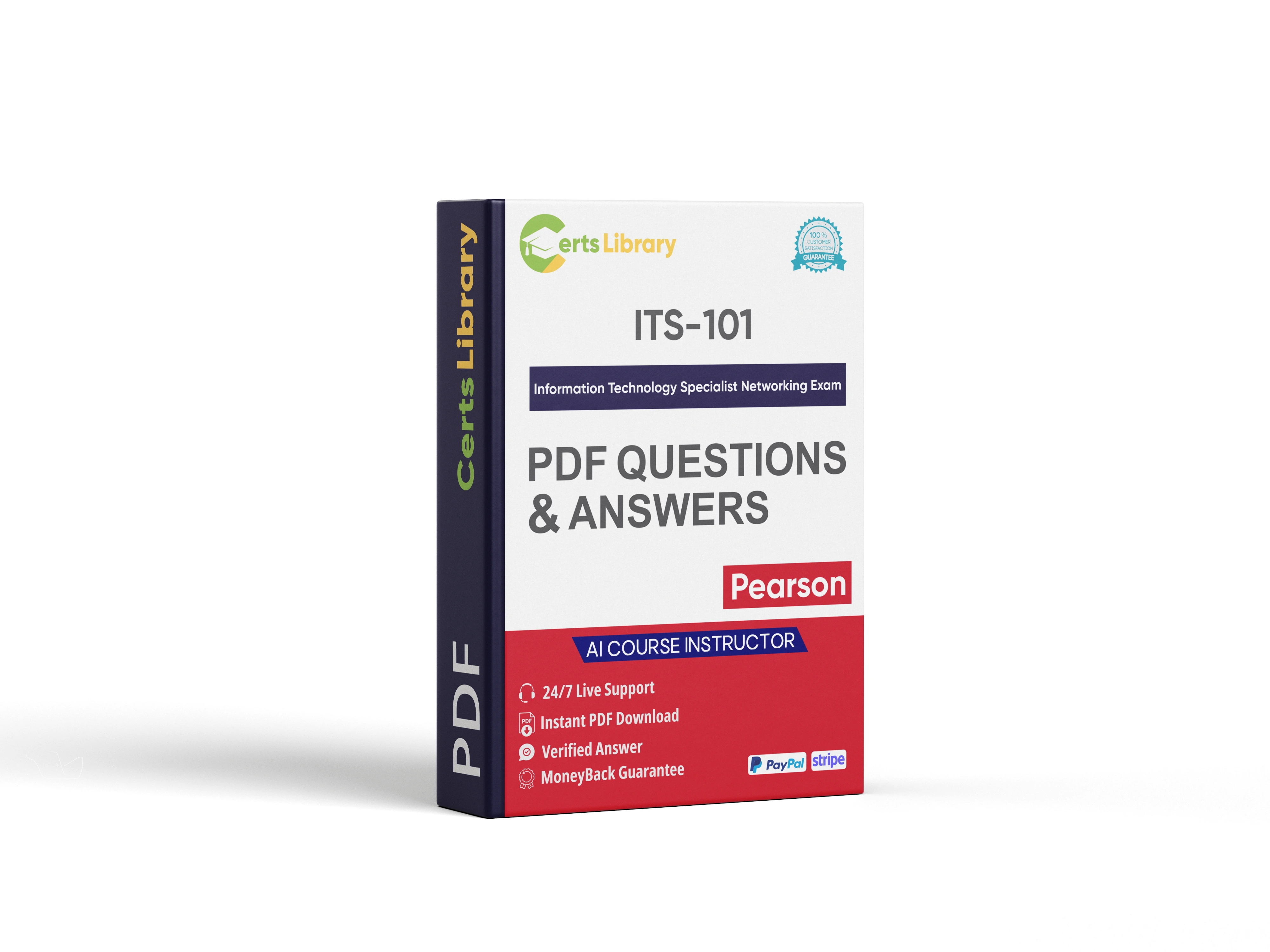
ITS-101 PDF Questions & Answers — $40
Prefer reading and reviewing questions at your own pace?
The PDF option provides access to the advertised 140-question study collection in document form.
It may suit students who want to review network diagrams, terminology, IP addressing concepts, and explanations alongside their notes.
ITS-101 Web Test Engine — $50
Want to practice through an interactive interface?
The Web Test Engine offers browser-based access to the practice collection.
Review the available demo and product details to confirm the exact testing and review features.
ITS-101 AI Test Engine — $65
The AI Test Engine provides the advertised AI-powered study and analysis experience.
Use it as an additional learning aid, and verify any technical explanations or calculations against reliable networking references.
Save with ITS-101 Bundles
| Bundle | Price | Savings |
|---|---|---|
| PDF + Web | $70 | $20 |
| PDF + AI | $90 | $15 |
| All-in-One | $100 | $55 |
The All-in-One Bundle costs approximately 35% less than purchasing all three individual formats separately.
Information Technology Specialist: Networking Exam Overview
| Attribute | Details |
|---|---|
| Certification | Information Technology Specialist: Networking |
| Certification Provider | Certiport, a Pearson VUE business |
| Subject | Foundational computer networking |
| Intended Level | Entry-level |
| Main Skills | Networking fundamentals, infrastructure, hardware, protocols, troubleshooting |
| CertsLibrary Question Bank | 140 questions |
| CertsLibrary Update | October 14, 2026 |
| Study Formats | PDF, Web Test Engine, AI Test Engine |
| Official Exam Code | Confirm against the current Certiport registration or voucher |
Exact exam duration, scoring, question types, and registration requirements should be confirmed through the current Certiport examination information.
ITS-101 Networking Exam Topics
The Networking certification covers five principal areas.
1. Networking Fundamentals
Start with the basic concepts behind computer communication.
Study topics include:
- Local area networks and wide area networks.
- Internet, intranet, and extranet.
- Client-server and peer-to-peer architectures.
- Unicast, multicast, and broadcast traffic.
- Network devices and connected systems.
- Cloud and virtualization concepts.
- Virtual machines and virtual switches.
- Remote access and virtual private networks.
Example scenario: A company wants employees to securely connect to its internal network from home.
A VPN can provide an encrypted connection to supported network resources, depending on the organization's access design.
2. Network Infrastructures
Learn how networks are organized and connected.
Study topics include:
- LAN and WAN architectures.
- Wireless local area networks.
- Virtual LANs.
- Network segmentation.
- Perimeter networks and DMZs.
- Star, bus, ring, and mesh topologies.
- Wireless access points.
- Wireless security standards.
- Network interference.
- Common WAN connectivity technologies.
Example scenario: A business wants its guest Wi-Fi users separated from internal employee systems.
A separate guest VLAN or other properly configured network segmentation can help isolate guest traffic, provided routing and security policies enforce the separation.
3. Network Hardware
Understand how network devices move data and connect systems.
Study topics include:
- Ethernet switches.
- MAC address tables.
- Layer 2 and Layer 3 switching.
- Routers and routing tables.
- Default routes.
- Static and dynamic routing.
- Spanning Tree Protocol.
- Network interface cards.
- Copper and fiber-optic cabling.
- Twisted-pair cable categories.
- Physical connectivity troubleshooting.
Example scenario: Two computers are connected to different IP subnets and need to exchange traffic.
A router or appropriately configured Layer 3 switch can provide routing between the networks.
4. Protocols and Services
This area focuses on the rules and services that allow networks to operate.
Study topics include:
- OSI and TCP/IP models.
- IPv4 and IPv6.
- Subnet masks and CIDR notation.
- Default gateways.
- TCP and UDP.
- DNS and DHCP.
- NAT and port address translation.
- Common network ports.
- DNS records.
- Name resolution.
- Private and public IP addressing.
Example scenario: A computer can access a website using its IP address but not its hostname.
DNS resolution is a likely area to investigate, although other configuration issues may also contribute.
5. Network Troubleshooting
Learn how to diagnose connectivity problems systematically.
Study topics include:
- Identifying symptoms.
- Establishing a probable cause.
- Testing a hypothesis.
- Implementing a solution.
- Verifying network functionality.
- Documenting findings.
- Cable testers and other diagnostic hardware.
- Windows networking commands.
- Linux networking commands.
- IP configuration troubleshooting.
- DNS and routing diagnostics.
Example scenario: A Windows workstation cannot access a server.
Start by checking its IP configuration, subnet mask, gateway, DNS settings, and physical connectivity. Use diagnostic commands to narrow down the fault rather than changing multiple settings at once.
Essential Networking Reference Tables
OSI Model: Seven Layers
| Layer | Name | Main Responsibility |
|---|---|---|
| 7 | Application | Network services used by applications |
| 6 | Presentation | Data representation and encoding |
| 5 | Session | Session management |
| 4 | Transport | End-to-end transport |
| 3 | Network | Logical addressing and routing |
| 2 | Data Link | Framing and local link delivery |
| 1 | Physical | Transmission of bits over media |
Common Network Ports
| Service | Typical Port | Purpose |
|---|---|---|
| FTP control | TCP 21 | File transfer control |
| SSH | TCP 22 | Secure remote access |
| DNS | UDP/TCP 53 | Name resolution |
| HTTP | TCP 80 | Web traffic |
| HTTPS | TCP 443 | Secure web traffic |
| SMTP | TCP 25 | Mail transfer |
| IMAP | TCP 143 | Mailbox access |
| RDP | TCP/UDP 3389 | Remote desktop connectivity |
Switch vs. Router vs. Access Point
| Device | Primary Role | Example |
|---|---|---|
| Switch | Connect devices within a LAN | Connect office workstations |
| Router | Forward packets between networks | Connect a LAN to another subnet |
| Wireless access point | Provide wireless network access | Connect Wi-Fi clients to a LAN |
DNS vs. DHCP vs. NAT
| Technology | Main Function |
|---|---|
| DNS | Resolves names and other DNS records |
| DHCP | Assigns supported network configuration |
| NAT | Translates IP addresses between address spaces |
Windows Networking Commands
| Command | Common Use |
|---|---|
ipconfig /all | Inspect IP configuration |
ping | Test basic IP reachability |
tracert | Trace network hops |
nslookup | Query DNS |
arp -a | View ARP cache entries |
netstat | Inspect network connections and statistics |
pathping | Analyze path information and packet loss |
Linux Networking Commands
| Command | Common Use |
|---|---|
ip addr | Inspect interface addresses |
ip route | View routing information |
ping | Test IP reachability |
traceroute | Trace network hops |
dig | Query DNS records |
ss | Inspect sockets |
ip neigh | View neighbor table information |
A Simple Subnetting Example
Suppose a network uses 192.168.10.0/27.
A /27 prefix means 27 bits identify the network and five bits remain for host addresses.
- Subnet mask: 255.255.255.224
- Total addresses: 32
- Network address: 192.168.10.0
- First usable address: 192.168.10.1
- Last usable address: 192.168.10.30
- Broadcast address: 192.168.10.31
This example demonstrates conventional IPv4 subnet calculations.
Practice similar scenarios with /24, /25, /26, /27, and /28 prefixes until you can identify the address range without guessing.
How to Prepare for the ITS-101 Networking Exam
Step 1: Learn the Five Objective Areas
Begin with networking fundamentals, then progress through infrastructure, hardware, protocols, and troubleshooting.
Step 2: Practice IP Addressing
Review IPv4 addresses, subnet masks, CIDR notation, private address ranges, and default gateways.
Step 3: Understand Network Devices
Learn the differences between switches, routers, wireless access points, and firewalls.
Step 4: Memorize Common Protocols and Ports
Focus on DNS, DHCP, HTTP, HTTPS, SSH, SMTP, and other common networking services.
Step 5: Build a Small Practice Network
If possible, use a home lab or networking simulator to explore IP configuration, VLANs, routing, and connectivity.
Step 6: Practice Troubleshooting
Use ping, tracert, ipconfig, nslookup, and Linux equivalents to diagnose sample problems.
Step 7: Review Your Mistakes
For each missed practice question, identify the underlying concept and explain why the correct option is appropriate.
10-Day ITS-101 Study Plan
| Day | Focus | Practice Activity |
|---|---|---|
| 1 | Network fundamentals | Compare LAN, WAN and network models |
| 2 | OSI and TCP/IP | Match protocols to their functions |
| 3 | Switches and routers | Review forwarding and routing |
| 4 | Cabling and wireless | Compare media and security standards |
| 5 | IPv4 addressing | Practice subnet calculations |
| 6 | IPv6 and routing | Review addressing and default routes |
| 7 | DNS, DHCP and NAT | Solve service-based scenarios |
| 8 | Troubleshooting commands | Run basic diagnostic exercises |
| 9 | Mixed practice questions | Review weak areas |
| 10 | Final review | Revisit objectives and explanations |
This is a suggested study schedule, not an official Certiport course or guaranteed preparation timeline.
ITS-101 Dumps vs. Original Practice Questions
Searching for ITS-101 dumps may lead to websites claiming to provide actual certification examination questions.
Memorizing unverified answer keys can leave important gaps in your networking knowledge.
A more reliable approach is to practice original questions, understand the reasoning behind each answer, and apply concepts in a practical environment.
CertsLibrary is an independent study provider and is not the official certification examination.
Frequently Asked Questions
1. What Is the ITS-101 Practice Test?
It is an independent networking practice resource covering foundational networking concepts, hardware, protocols, infrastructure, and troubleshooting.
2. How Many ITS-101 Questions Does CertsLibrary Offer?
CertsLibrary currently advertises 140 questions.
3. What Is the ITS-101 Exam About?
The target certification subject is Information Technology Specialist: Networking, which evaluates foundational networking knowledge.
4. Is ITS-101 Suitable for Beginners?
Yes. The Networking certification is intended for learners developing foundational networking skills.
5. What Is the Difference Between ITS-101 and INF-101?
Different third-party providers use ITS-101 and INF-101 identifiers for Networking practice products. Confirm the official code for your exam registration rather than assuming the identifiers are interchangeable.
6. Does the Networking Exam Cover Subnetting?
Yes. IPv4 addressing and subnetting are included in the networking objective framework.
7. Does It Cover the OSI Model?
Yes. The OSI and TCP/IP models are relevant networking concepts.
8. Are Switches and Routers Covered?
Yes. Network hardware and forwarding behavior are included in the objectives.
9. Does the Exam Include Wireless Networking?
Yes. Wireless networking concepts, technologies, and security are relevant.
10. Does It Cover DNS and DHCP?
Yes. DNS, DHCP, and related networking services are important study topics.
11. What Troubleshooting Commands Should I Learn?
Study commands such as ping, ipconfig, tracert, nslookup, ip addr, and dig.
12. Can I Get ITS-101 Questions in PDF Format?
CertsLibrary currently lists its PDF Questions & Answers package for $40.
13. Is There an ITS-101 Mock Exam?
CertsLibrary offers a Web Test Engine for interactive practice. Review the demo to verify its specific simulation capabilities.
14. What Is the AI Test Engine?
It is CertsLibrary's advertised AI-assisted practice format. Check the product demonstration for available features.
15. How Much Does the All-in-One Bundle Cost?
The listed price is $100 for the PDF, Web Test Engine, and AI Test Engine package.
16. Is CertsLibrary an Official Certiport Practice Provider?
CertsLibrary should be treated as an independent third-party study provider unless an official partnership is documented.
17. Are ITS-101 Dumps Necessary to Pass?
No. Original practice questions, official objectives, and practical networking exercises provide a more dependable study approach.
18. What Jobs Can Foundational Networking Knowledge Support?
It can be relevant to entry-level IT support, help desk, and network support roles, although certification alone does not guarantee employment.
19. How Should I Know When I Am Ready?
Review the official objectives, test your understanding across all five domains, and ensure you can explain networking decisions rather than simply recognize memorized answers.
20. What Should I Study After Networking?
Depending on your career goals, you could progress to more advanced networking, network security, or IT support certifications.